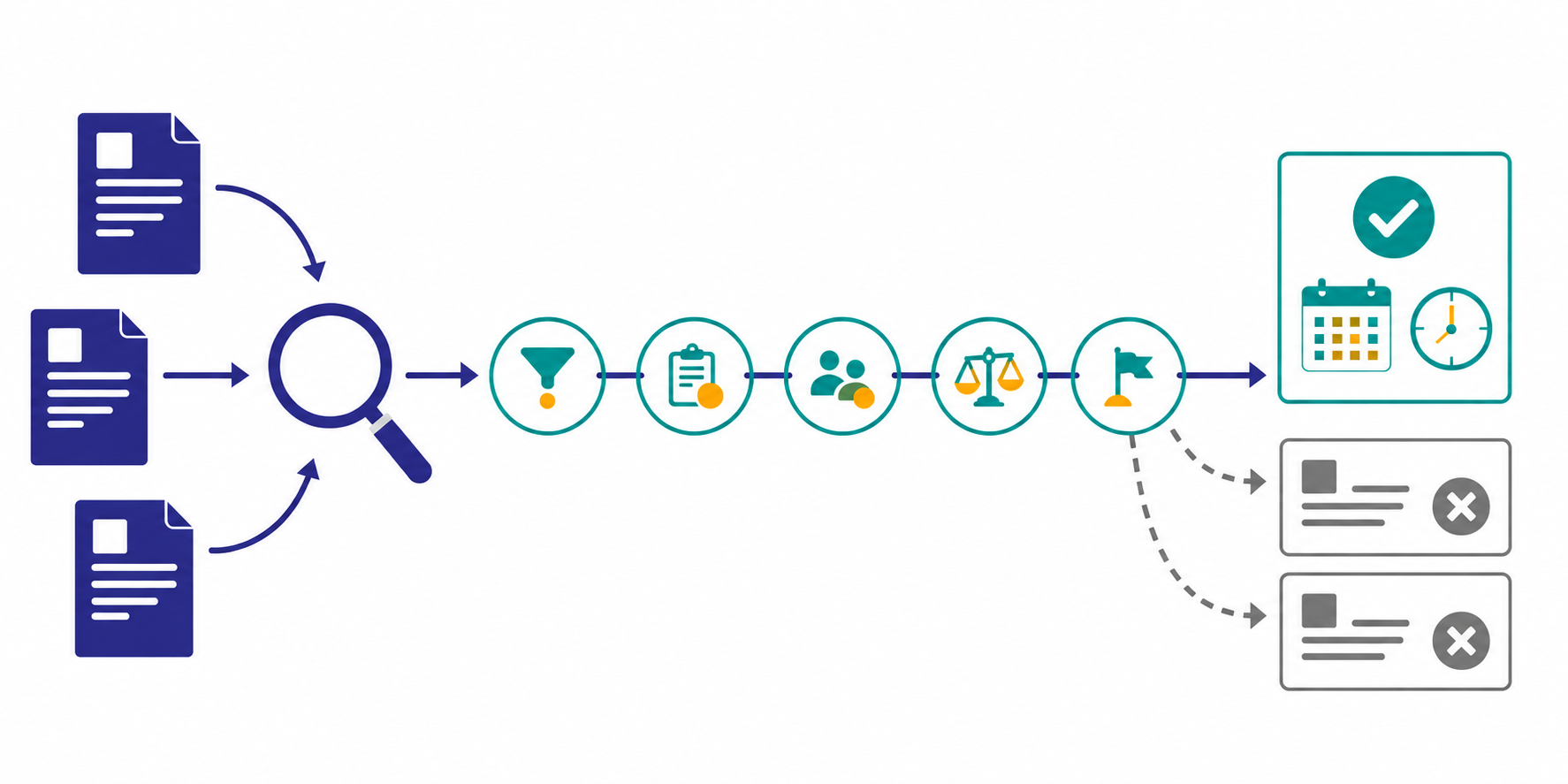
Saving a competitor's homepage headline is not enough to explain a positioning shift. You need to compare who the company addresses, which problem it emphasizes, what outcome it promises, what proof it presents, and where it sends the visitor next.
This guide shows how to detect and interpret messaging changes across competitor homepages, product pages, case studies, and calls to action. The related weekly-brief article covers team reporting in more depth.
The short answer: compare five messaging fields
Break each competitor page into five fields:
- Audience: who the page addresses
- Problem: which pain or risk it leads with
- Promise: what outcome or change it offers
- Proof: which cases, numbers, integrations, or trust signals support it
- Action: whether the visitor is sent to signup, a demo, contact, or another path
Do not call one copy edit a positioning shift. As a starting rule, flag the change for review when the same direction appears on at least two pages, such as the homepage and a new case study. Adjust the threshold as you learn how much noise the workflow produces.
Why competitor messaging changes are easy to miss
Pricing and product launches often have identifiable dates. Messaging changes can arrive gradually. A homepage headline may change first, a new use-case page may appear later, and the proof library may catch up several weeks after that.
A 2026 Klue guide lists messaging shifts alongside pricing changes and product launches as monitoring targets. Product Marketing Alliance also places competitive intelligence, positioning, and messaging within the product-marketing remit. Detection is only the first step, though. Teams still need a consistent way to separate observed facts from strategic interpretation.
References:
- Klue: Top Competitive Intelligence Tools for B2B Tech Teams in 2026
- Product Marketing Alliance: What is Product Marketing? The 2026 Guide
Step 1: choose pages with different jobs
Monitoring an entire website as one source creates noise. Start with three pages that answer different buyer questions.
| Page | What to capture | What a change may indicate |
|---|---|---|
| Homepage | primary audience, category, problem, main CTA | company-wide acquisition priority |
| Product or use-case page | workflow, feature framing, target role | which use case the company is pushing |
| Case-study library | industry, company size, role, result | which buyer profile the company is trying to build credibility with |
Add pricing, security, or comparison pages only when they support a specific question. A larger source list does not automatically produce a clearer conclusion.
Stratum Flow accepts one Seed URL per job. Use each page as a separate job's Seed URL, and repeat the target URL and site: constraint in the research instruction. A Seed URL is a starting point rather than a retrieval guarantee, so verify the cited source URL in the first report. See Seed URLs: Usage and Examples for the setup.
Step 2: record the five-field baseline
Before looking for changes, write down the current state. This baseline makes later reviews faster.
| Field | What to record | Example |
|---|---|---|
| Audience | named role, company size, or industry | PMMs at small SaaS companies |
| Problem | the pain described first | missing competitor changes |
| Promise | the outcome offered | know what changed before the weekly review |
| Proof | the strongest credibility signal | customer cases, source URLs, integrations |
| Action | primary and secondary CTA | start free, view sample |
Avoid archiving every sentence. For each field, capture the strongest message currently visible on the page.
For each review, record the date, target URL, page role, previous value, current value, a short changed excerpt, and the screenshot or reference location. When using a Stratum Flow report, confirm that the cited URL and five-field output match the intended page during the first run.
Step 3: separate the observed change from the hypothesis
When facts and interpretations share one sentence, a guess can become accepted as truth. Keep them in separate fields.
| Field | What belongs there | Example |
|---|---|---|
| Observed change | a verifiable page difference | hero changed from "for marketers" to "for PMMs" |
| Evidence | URL, page type, and review date | homepage, June 12, 2026 |
| Working hypothesis | a possible strategic meaning | the company may be narrowing its target audience to product marketers |
| Corroboration needed | the next page or signal to inspect | PMM case studies, pricing, demo path |
| Internal decision | what your team may need to review | whether to keep a broader role definition |
Use language such as "may indicate" or "working hypothesis." Public-page changes do not prove internal strategy, revenue impact, or customer response.
Step 4: look for agreement across pages
A useful threshold is two or more pages moving in the same direction.
Stronger signals
- the homepage names a new role and the case-study library adds customers with that role
- a product page leads with a new problem and the CTA changes to a demo for that use case
- pricing and security pages both add enterprise buying guidance
Weaker signals
- one blog post uses a new term
- a headline changes word order without changing meaning
- a seasonal campaign temporarily replaces the main CTA
Keep weaker signals in the history, but do not use them alone to rewrite your own positioning.
Worked example: build one hypothesis from three pages
Imagine that competitor A makes these changes in the same week.
| Page | Observed change | Five-field effect |
|---|---|---|
| Homepage | "for marketing teams" becomes "for PMMs at B2B SaaS companies" | Audience narrows |
| Product page | the page shifts from a feature list to a weekly competitive-sales workflow | Problem and Promise change |
| Case study | a new story features a head of product marketing | Proof supports the new Audience |
A reasonable working hypothesis is that the company may be prioritizing product marketers and selling an ongoing competitive workflow rather than one-off analysis. Evidence that could weaken the hypothesis includes simultaneous expansion into other roles or the copy disappearing after a short campaign.
The internal question is not whether to copy the competitor. It is whether your own audience definition remains defensible and whether you have enough proof for the buyer you want to win.
Step 5: tailor the research instruction to the page
Different page roles need different prompts.
Homepage instruction
Extract the Audience, Problem, Promise, Proof, and Action from this page. Report only meaningful changes from the previous review. Separate wording edits from changes in messaging direction.
Product-page instruction
Review changes to the target role, use case, emphasized capabilities, outcome language, and CTA. Separate the observed change from hypotheses about roadmap, competitive sales positioning, or product positioning.
Case-study instruction
For new or updated case studies, capture industry, company size, buyer role, previous problem, and stated result. Note whether the same customer profile is appearing more often.
Use How to Write Effective Research Instructions to make the output format and exclusions explicit.
Step 6: choose which changes deserve a decision
Do not send the team a raw change log. Start with no more than three changes that could affect a decision, then adjust the limit to the team's review capacity.
| Priority | Condition | Delivery |
|---|---|---|
| High | agreement across two pages and relevance to an active campaign or deal | Slack or Teams plus weekly meeting |
| Medium | one major page change or a smaller change repeated over several weeks | weekly brief |
| Low | wording edits, layout changes, short campaign swaps | history only |
To include the change, evidence, hypothesis, and next verification point in alerts, define that structure in the research instruction before configuring delivery. Generic webhooks receive the latest report JSON as-is. Notifications and change timelines are available on Starter and above. The Webhook setup guide explains how to configure Slack, Teams, or another destination.
Reusable weekly review template
Competitor:
Observed change:
Pages affected:
Audience / Problem / Promise / Proof / Action:
Working hypothesis:
What would confirm or reject it:
Internal decision to review:
Owner:
This structure lets marketing, sales, and product review the same evidence without treating interpretation as fact.
Common pitfalls
1. Copying the competitor's new language
A competitor's change is not proof that the message will work for your audience. Different products, sales motions, and customer evidence require different positioning.
2. Keeping screenshots without a structured note
Screenshots preserve evidence, but they are difficult to search and compare. Add the five-field summary beside them.
3. Declaring a positioning shift after one edit
The change may be a campaign or test. Look for confirmation across pages, across several weeks, or through new customer proof.
4. Measuring the number of detected changes
More alerts do not mean better competitive intelligence. Track which decisions were reviewed and which hypotheses received further validation.
How to start in Stratum Flow
Begin with one homepage job and verify the output before expanding.
- Create one job with the competitor homepage as its Seed URL
- Confirm the cited page and five-field output, then adjust the instruction if needed
- Add separate product-page and case-study jobs
- Escalate changes that agree across multiple pages
- Enable change timelines or notifications on Starter and above
After registering, you can start by creating a recurring report for one page and reviewing its output. Use the dashboard setup guide to create the first job. Add pricing, security, and comparison pages only after the review is producing useful decisions.
Summary
Competitor messaging monitoring should not be scored by the number of page edits found. When multiple pages support the same audience or problem shift, keep the observed fact, working hypothesis, and next verification step separate before changing your own positioning.
Next step
Try Stratum Flow free and start monitoring competitor messaging