Help pages often attract search traffic, but many of them underperform on signup because the internal links and CTA placement stop at the answer. The reader understands the setup, but still does not see the next useful action.
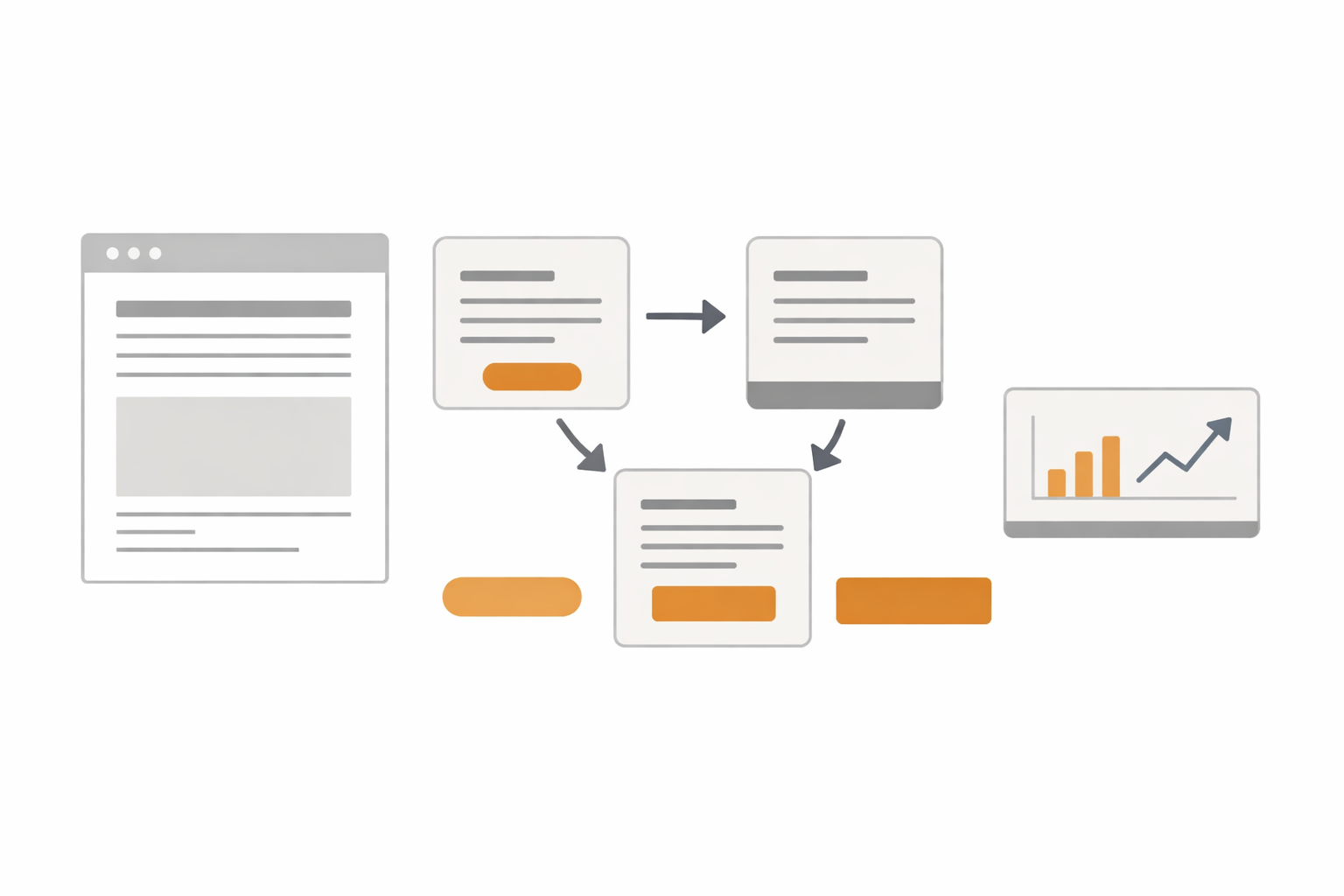
This guide explains how to turn help pages into signup paths by designing internal links and CTAs around the reader's next question. Using existing Stratum Flow help content as examples, it maps the practical flow from help pages to blog context to free signup and a first job.
The short answer: connect three things - the answer, the next question, and the action
- answer the search intent first
- place internal links where the next practical question appears
- use blog posts to add workflow context, not to repeat help copy
- place CTAs after meaningful moments, not only at the bottom
- make the final CTA about signup and the first job, not signup alone
Help pages convert better when they stop acting like isolated answers and start acting like stepping stones to signup.
Why help pages often get read without creating signups
The main reason is that they are often too self-contained. A reader searching for setup or usage instructions usually wants one answer first. Once they get it, the session ends unless the page shows what question comes next.
For example, Dashboard Overview and Basic Settings can explain the interface, but it does not fully answer what the first useful job should be. How to Write Effective Research Instructions can improve prompt quality, but it does not automatically show how that instruction should fit into an operating workflow.
That is why help content alone rarely carries the full path to signup. The page also needs internal links that catch the next question and CTAs that make the next action concrete.
Step 1: split the roles of help, blog, and register
The first fix is structural. Help, blog, and register pages should not all try to do the same job.
| Page type | Primary role | Reader state | Best next destination |
|---|---|---|---|
| Help page | answer a setup or usage question | trying to understand how it works | related help or blog |
| Blog post | add workflow context and decision criteria | trying to picture real usage | register |
| Register page | capture signup intent and start usage | ready to try it | first job creation |
This makes help pages stronger because they no longer need to carry the full sales narrative. For example, someone reading setup documentation may naturally continue to How to Run a Public Web Research Workflow or How to Write Effective Research Instructions, depending on what they still need to understand.
Step 2: place internal links at the next question, not only at the end
A weak internal-link pattern is to collect all related links at the bottom and hope the reader keeps exploring. In practice, links work better when they appear exactly where the next useful question shows up.
| Help-page context | Likely next question | Better internal link |
|---|---|---|
| The reader understands the dashboard | What should the first job actually be? | How to Run a Public Web Research Workflow |
| The reader understands prompt structure | How should the source list be controlled? | Seed URLs: Usage and Examples |
| The reader understands Seed URLs | What operating workflow should this power? | How Small Teams Can Run Market Intelligence |
It helps to standardize the sequence.
- Place one related help link right after the relevant explanation
- Place one workflow-oriented blog link before the page shifts from setup to operations
- End with a register CTA
That sequence keeps the page useful for search while still extending the session.
Step 3: change CTA copy based on placement
CTA copy usually underperforms when every page uses the same generic wording. Help-page readers are often not thinking "I want to sign up" yet. They are thinking "what should I do with this setup next?"
| Placement | Weak copy | Stronger copy | Why it works better |
|---|---|---|---|
| After a setup section | Try it free | Create your first job with this setup | ties the action to the section |
| Mid-page transition | Learn more | See a workflow example | makes the blog handoff explicit |
| Bottom CTA | Contact us | Sign up free and create your first job | defines the goal clearly |
For example, near Dashboard Overview and Basic Settings, "Create your first job from the dashboard" is more actionable than a bare "Try it free." Near How to Write Effective Research Instructions, a CTA such as "Use this instruction in your first job" makes the next step much easier to imagine.
The key is to name the first post-signup action, not just the signup event.
Example: connecting the getting-started help page to blog context and signup
If Dashboard Overview and Basic Settings is the starting point, the path becomes clearer when each step has a different job.
| Placement | Reader state | Link or CTA to place | Destination |
|---|---|---|---|
| Right after the job-creation explanation | understands the interface, but not the first use case | See a market-intelligence workflow example | How Small Teams Can Run Market Intelligence |
| Near the end of the blog post | can picture the workflow | Sign up free and create your first job | /register |
This pattern lets the help page reduce setup friction, the blog post add operating context, and the final CTA convert that understanding into action.
Step 4: define the help-to-blog-to-register operating path
Each help page should have a predefined blog destination. That keeps the path consistent instead of turning every page into an isolated documentation island.
| Help page | Best blog handoff | What the reader should understand before register |
|---|---|---|
| Dashboard Overview and Basic Settings | How Small Teams Can Run Market Intelligence | what the workflow looks like after signup |
| How to Write Effective Research Instructions | AI Research Tools Comparison Guide 2026 | where the tool fits in the team's stack |
| Seed URLs: Usage and Examples | How to Run a Public Web Research Workflow | how to choose the first monitoring theme |
This structure turns help content into the top of a guided funnel instead of a dead-end answer page.
For new help pages, a simple implementation sequence works well:
- write down the one question that page answers
- define the next question the reader is likely to have
- assign one related help link and one blog handoff for that question
- make sure the linked blog post ends with
/registerand a first-job CTA
If there is no matching blog post yet, adding one workflow article before the register step usually creates a stronger path than linking straight to signup.
Working checklist
- write down the next likely question for each help page
- assign one related help link and one related blog link to that question
- rewrite section-level CTA copy so it names the action, not only the signup
- make the final CTA mention both free signup and first-job creation
- replace generic anchor text with descriptive link text
- keep help and blog pages in different roles instead of repeating the same explanation
- make sure the linked blog post also has a clear
/registerCTA - review whether readers reach first-job creation after signup, not only the click
Common pitfalls
1. Reusing the same CTA everywhere
Generic CTA copy removes context. A help page usually needs a more specific action than a pricing page or homepage.
2. Linking directly to register and nowhere else
Many search readers are still too early in the journey for that. A workflow blog post often creates the missing reason to register.
3. Using vague anchor text
A link like "related article" hides the value. A link such as How to Run a Public Web Research Workflow tells the reader exactly why to click.
When Stratum Flow fits well
Once you map one help-to-blog path on your own site, the next useful question is often how other teams connect public docs, product pages, and CTAs. Stratum Flow fits when you want that benchmarking tracked continuously instead of checked by hand.
- you want to monitor how competitors change help pages, pricing pages, and release notes over time
- you want recurring reports on CTA copy or internal-link changes across public pages
- you want docs, product, and pricing message shifts shared with the team in one place
- you want important funnel or messaging changes pushed to Slack or Teams instead of checked manually
Summary
Turning help pages into signup paths is not just about adding a CTA at the bottom. It requires clear page roles, internal links that catch the next question, and CTA copy that points to the first useful action after signup.
With that structure, help pages can support both search intent and conversion instead of forcing a tradeoff between the two.
Next step
Once you choose one help-to-blog handoff, walk through the full path yourself. The fastest way to improve CTA copy is to sign up, try the first job flow, and look for where the next action becomes unclear.
Sign up free and create your first job
Related articles
- SaaS Homepage Internal Links for Signup, Help, and Contact
- How to Improve Contact-Page CTR in Search Console
- How to Launch Your First Job After Signup and Reach Value Faster
- First-Job Onboarding Guide After Free Signup
- How to Improve High-Impression, Low-CTR Pages in Search Console
- How to Run a Public Web Research Workflow
- How Small Teams Can Run Market Intelligence
- AI Research Tools Comparison Guide 2026