In a lean SaaS team, market intelligence often sits in an awkward place. Everyone agrees it matters, but nobody has a dedicated role for it. A few updates get checked when something feels urgent, a summary lands in chat, and the work rarely turns into a repeatable operating habit.
That does not mean small teams need a formal research department. It usually means they need a better operating model. This article explains how to connect monitoring, summaries, sharing, and meeting handoffs so market intelligence can keep running with limited headcount.
The short answer: fix the four handoffs
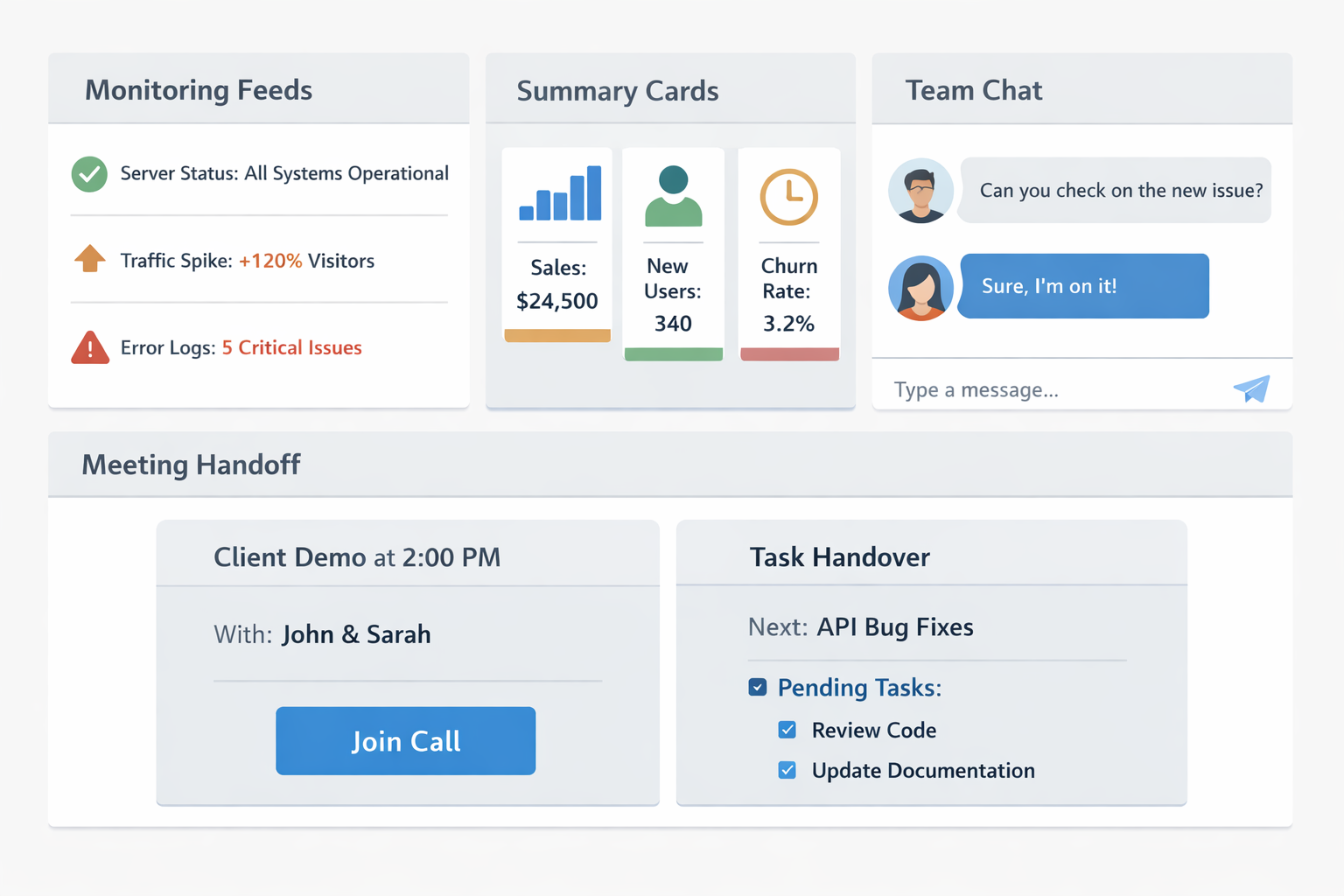
For a small team, market intelligence becomes sustainable when four handoffs are explicit:
- what decisions the monitoring should support
- how updates should be summarized for each audience
- where findings should be shared so they do not disappear
- which meeting should turn them into next actions
Once those handoffs are clear, market intelligence stops being a side task for the most curious person and becomes a lightweight team workflow.
Why market intelligence breaks in small teams
The core problem is usually not a lack of information. It is a lack of receiving structure.
- there is a source list, but no clear decision use case
- a summary exists, but nobody knows who it is for
- updates go to chat and disappear there
- every report uses a different format
- one person ends up collecting, interpreting, and presenting everything
That is why it helps to separate article topics. How to Run a Public Web Research Workflow covers how to gather evidence from public sources. This article focuses on how a small team turns that evidence into something people actually use.
Step 1: limit the watch themes to three
Small teams do better when they monitor decision themes, not an endless list of companies and pages.
| Watch theme | Typical changes to track | Decisions it can support |
|---|---|---|
| competitor moves | launches, pricing shifts, messaging changes | sales talk tracks, roadmap review, positioning |
| market signals | industry news, regulation changes, partnerships | market priorities, strategic bets, messaging |
| customer context | case studies, reviews, hiring direction | segment focus, use-case hypotheses, GTM assumptions |
The goal is not to monitor everything. The goal is to keep only the themes that are close to real decisions. For setup, Dashboard Overview and Basic Settings is a useful starting point, and Seed URLs: Usage and Examples helps you lock the source list before the workflow starts.
Step 2: create three summary layers for different readers
In a small team, the mistake is often sending the same output to everyone. A better pattern is to separate the summary by audience.
| Summary layer | Typical length | Main reader | Job to do |
|---|---|---|---|
| alert | 1-2 lines | team lead, PM, sales owner | prevent missed high-impact changes |
| weekly digest | 3-5 items | broader working team | show what changed this week |
| meeting note | one line per issue | meeting participants | drive an action or decision |
This keeps the workflow readable without losing the useful context. If you want the summaries to stay stable across cycles, How to Write Effective Research Instructions is the best way to structure the recurring prompt.
Step 3: split sharing across chat, documentation, and meetings
Market intelligence disappears when it has only one home. Chat is good for speed, but not for memory. Documents are good for memory, but not enough for decisions on their own.
Use three lanes instead:
- Chat for urgent changes such as pricing moves or major launches
- Working document for the weekly digest and source evidence
- Meeting agenda for the two or three issues that need a decision
If you want immediate alerts, keep them selective. A team that gets too many alerts quickly stops trusting them. For the notification path itself, How to set up Webhooks (Slack, Teams, generic) is the practical guide.
Step 4: bring decision questions to meetings, not raw updates
A small team usually does not have the meeting time to review a long list of market updates. The handoff into meetings should be intentionally narrow.
A lightweight meeting format
| Field | What to capture |
|---|---|
| Change | one-line description of the update |
| Impact | likely effect on sales, product, or marketing |
| Confidence | confirmed fact or working hypothesis |
| Next action | owner and follow-up |
This keeps the discussion focused on action instead of explanation. If you need the monitoring mechanics underneath it, 5 Ways to Automate Competitive Research and SaaS Competitor Tracking Template for Small Teams cover that layer in more detail.
Step 5: separate weekly execution from monthly review
Small teams can sustain market intelligence more easily when weekly work and monthly cleanup are treated as different jobs.
| Timing | What happens | Why it matters |
|---|---|---|
| weekly | review changes, summarize them, share them, carry selected items into meetings | keeps the signal flow active |
| monthly | prune watch themes, remove noisy outputs, refresh the core questions | keeps the workflow light and useful |
In the monthly review, check three things:
- are we still tracking themes tied to real decisions
- are summaries being read and reused
- are we creating items that never make it into a team routine
Without this review step, lean teams usually accumulate more sources, more summaries, and more noise than they can actually use.
A practical operating model for a lean SaaS team
For a team of roughly 3-8 people, this is often enough:
- keep only two watch themes at the start
- limit the Seed URL list to around 10 sources
- run one recurring summary prompt every week
- send only high-impact items to chat
- bring two or three decision issues into the weekly meeting
- review the workflow once a month
This is usually the simplest way to avoid the common failure mode of "we researched it, but nobody used it."
Common pitfalls
1. Making one person own everything
If one person monitors, summarizes, shares, and explains every update, the workflow will stop as soon as that person gets busy. Even in a small team, the handoffs should be lighter than that.
2. Sharing without a meeting path
Visibility is not the same as usefulness. If updates do not enter a decision routine, the team will eventually ignore them.
3. Expanding the scope too early
A small team gets more value from continuity than from coverage. Two or three strong themes are usually better than a broad but fragile monitoring setup.
When Stratum Flow fits well
- you want market intelligence without building a dedicated research team
- you need monitoring, summaries, sharing, and meeting handoffs in one workflow
- you want a lightweight weekly operating model for a lean SaaS team
- you need a Japanese-friendly setup for recurring market and competitor tracking
Summary
Small-team market intelligence works when you do not optimize for more inputs, but for better handoffs across monitoring, summaries, sharing, and meetings.
With that structure in place, market intelligence becomes a practical operating rhythm instead of a background task that only happens when someone has spare time.
Next step
Related articles
- How to Automate Regulatory and Guideline Change Monitoring
- How to Streamline Market Research Report Creation
- 5 Ways to Automate Competitive Research
- SaaS Competitor Tracking Template for Small Teams
- How to Run a Public Web Research Workflow
- How to Turn Help Pages Into Signup Paths With Internal Links and CTAs